


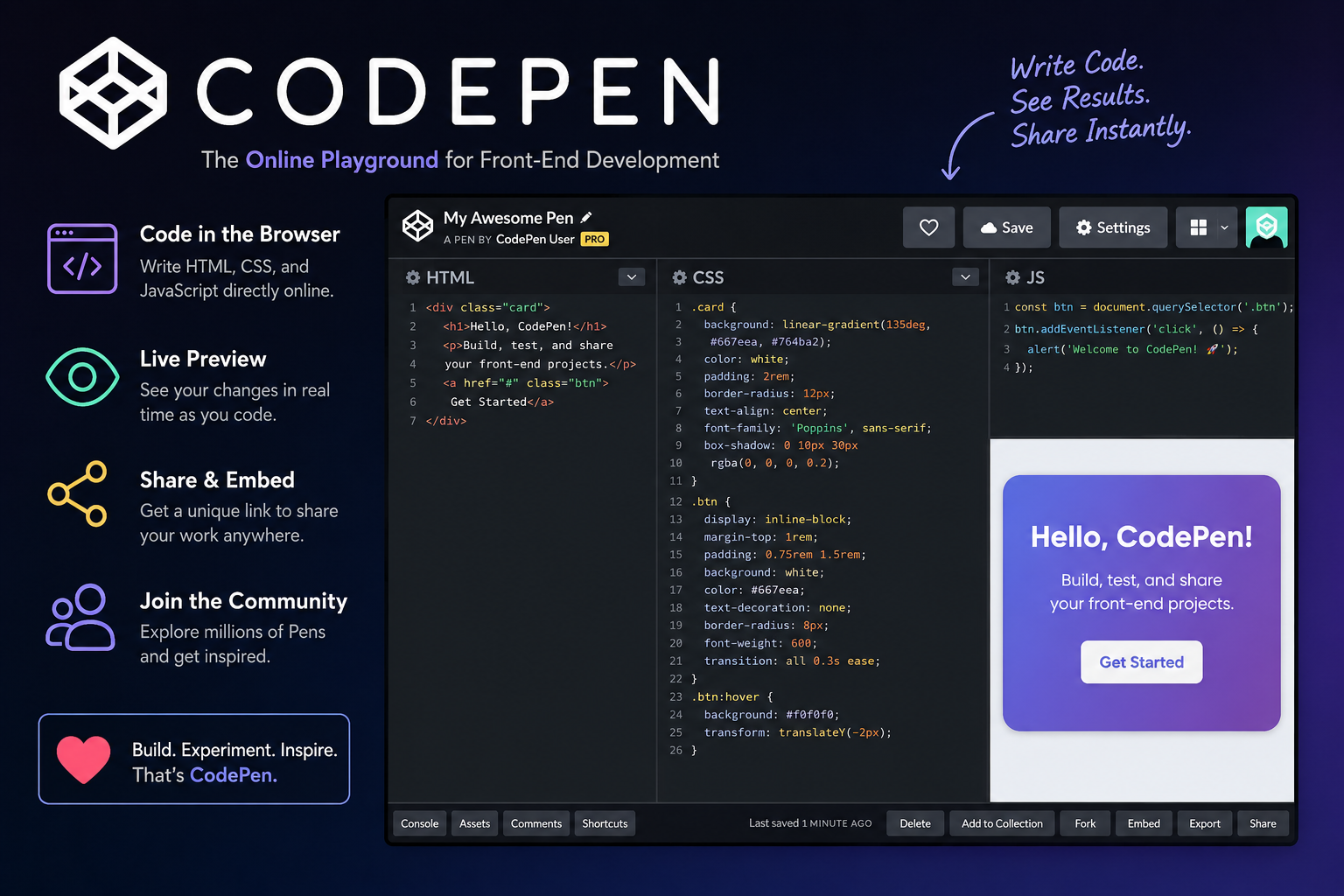
Front-end web development has become more accessible than ever thanks to browser-based coding platforms that eliminate the need for complicated software installations. Among these tools, CodePen has become one of the most widely recognized environments for experimenting with HTML, CSS, and JavaScript directly from a web browser. Whether you’re learning the basics of web development or showcasing advanced animations, CodePen provides an easy way to write, preview, and share code.
Unlike traditional development environments that require setting up folders, local servers, and build tools, CodePen lets users begin coding almost instantly. A new project can be created in seconds, allowing developers to focus on creativity and problem-solving instead of configuration. This convenience has made the platform popular among students, educators, hobbyists, and experienced developers alike.
This guide explores what CodePen is, how it works, its key features, practical use cases, advantages, limitations, and why it continues to be a valuable resource for front-end development.
What Is CodePen?
CodePen is an online code editor and social development platform designed primarily for front-end web technologies. It allows users to write HTML, CSS, and JavaScript in separate editors while displaying the results instantly in a live preview window. This immediate feedback makes experimenting with code both simple and enjoyable.
The platform revolves around projects known as “Pens.” Each Pen contains code that can be edited, saved, shared, or embedded into websites. Users can create anything from simple web page layouts to interactive games, animations, user interface components, and complete design concepts.
One reason CodePen remains popular is its simplicity. Since everything runs directly inside the browser, there is no need to install programming software before starting a project. This allows beginners to begin learning quickly while giving experienced developers a fast environment for testing ideas.
How CodePen Works
Creating a project begins by opening a new Pen. The editor separates HTML, CSS, and JavaScript into dedicated panels, making code organized and easy to understand. As changes are made, the preview updates automatically without requiring manual page refreshes.
This live preview helps developers identify mistakes immediately. Instead of repeatedly saving files and reopening browsers, code modifications appear almost instantly, significantly speeding up experimentation and debugging.
Projects are stored online, allowing users to access their work from different devices after signing into their account. This cloud-based approach also simplifies sharing projects with classmates, colleagues, or clients.
Main Features
One of CodePen’s most valuable features is its live preview system. Watching code update in real time makes learning front-end development much easier because every change produces immediate visual feedback.
The platform also supports external libraries and frameworks. Developers can quickly include popular tools such as Bootstrap, Tailwind CSS, React, Vue, jQuery, or GSAP without downloading additional files manually.
Another useful capability is project sharing. Every Pen receives its own unique URL, allowing developers to demonstrate projects, request feedback, showcase portfolios, or include examples within technical documentation.
Learning with CodePen
Many beginners choose CodePen because it removes technical barriers commonly associated with web development. Students can immediately begin writing HTML, styling pages with CSS, and adding JavaScript interactions without configuring development environments.
Teachers also benefit from the platform. Instructors frequently create demonstrations that students can duplicate, edit, and experiment with independently. This interactive approach often improves understanding compared to static textbook examples.
Because thousands of public Pens are freely available, learners can examine real projects created by other developers. Studying working examples encourages experimentation while introducing new coding techniques and design ideas.
Community and Collaboration
CodePen is more than an online editor—it also functions as a community where developers share creative projects. Users regularly publish animations, interface designs, visual effects, games, and educational examples that inspire others.
Developers can browse trending Pens, leave comments, appreciate interesting projects, and discover innovative coding techniques from creators around the world. This community aspect encourages continuous learning through observation and discussion.
Sharing projects is especially valuable during problem-solving. Instead of sending multiple files, developers can simply provide a CodePen link that others can immediately view and test inside their browsers.
Advantages of Using CodePen
Accessibility is one of CodePen’s greatest strengths. Since projects run in the browser, developers can begin coding from nearly any computer with internet access, making the platform highly convenient for classrooms and collaborative environments.
The automatic preview significantly reduces development time during experimentation. Designers and developers can quickly test layouts, typography, animations, and responsive behavior without repeatedly refreshing pages.
CodePen also serves as an excellent portfolio platform. Developers often showcase creative experiments, user interface concepts, and interactive components that demonstrate technical skills to potential employers or clients.
Limitations
Although CodePen is extremely useful, it is not intended to replace complete professional development environments. Large applications often require build tools, package managers, version control systems, and project structures beyond the platform’s primary focus.
Some advanced workflows involving backend programming, databases, or server-side processing cannot be fully developed within CodePen alone. Such projects usually require traditional development tools alongside browser-based editors.
Internet access is another consideration. Because CodePen primarily operates online, users generally need a stable connection to access projects and synchronize their work.
Who Should Use CodePen?
CodePen is suitable for a wide variety of users. Students learning HTML, CSS, and JavaScript benefit from its simple interface and instant feedback, making early programming lessons less intimidating.
Professional front-end developers frequently use the platform to prototype interface components, test animations, demonstrate concepts, or reproduce bugs before integrating code into larger applications.
Designers who work closely with developers may also appreciate CodePen for experimenting with layouts, typography, color schemes, and responsive designs without maintaining complex development environments.
Final Thoughts
CodePen has established itself as one of the most useful browser-based platforms for front-end web development. Its combination of live previews, cloud-based storage, easy sharing, and supportive community makes it valuable for learners and professionals alike.
Whether you’re experimenting with a simple webpage, building interactive user interface components, or sharing creative coding projects with others, CodePen provides an accessible environment that encourages learning and innovation. While it may not replace complete professional development workflows for every project, it remains an excellent tool for education, rapid prototyping, collaboration, and showcasing front-end development skills.