


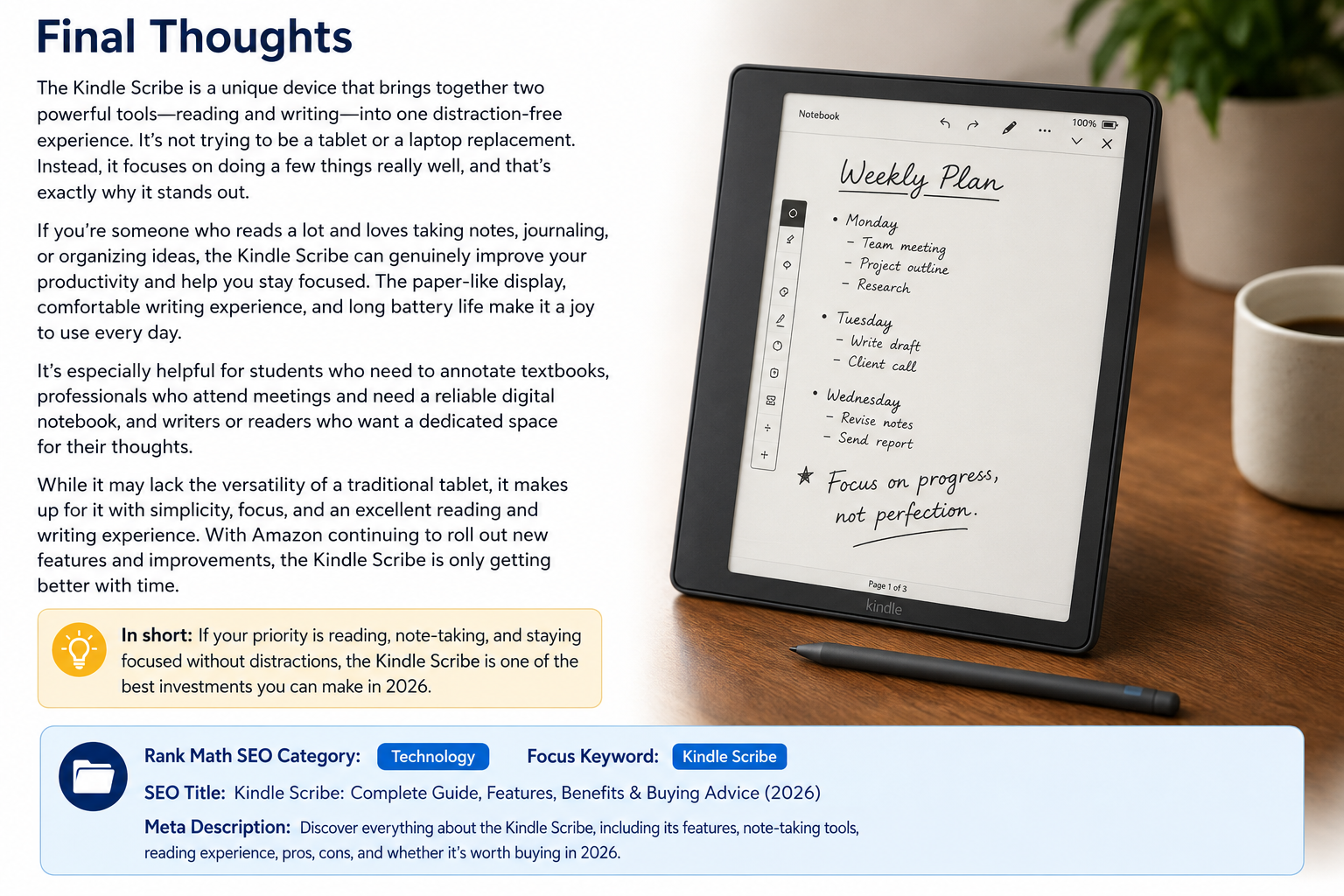
The Kindle Scribe is Amazon’s largest and most advanced Kindle device, designed for people who love reading and writing in one place. Unlike traditional Kindle e-readers, the Scribe comes with a premium stylus that allows users to take notes, write directly on supported books, create journals, and organize ideas without needing paper. It combines the comfort of an E Ink display with practical productivity features, making it an excellent option for students, professionals, writers, and everyday readers.
Since its release, the Scribe has attracted attention for offering a distraction-free environment. Unlike tablets that constantly display notifications or encourage multitasking, the Kindle Scribe focuses on helping users read, write, and think without interruptions. That simple philosophy is one of its biggest strengths.
In this guide, we’ll explore everything you need to know about the Kindle Scribe, including its features, performance, advantages, limitations, and whether it’s worth buying in today’s market.
What Is the Kindle Scribe?
The Kindle Scribe is Amazon’s first Kindle that supports handwriting. It features a large 10.2-inch glare-free E Ink display and includes either the Basic Pen or Premium Pen, depending on the model you purchase. While it functions as a traditional Kindle for reading books, it also works as a digital notebook where users can write naturally with a pen-like experience.
Unlike conventional tablets such as an iPad or Android device, the Scribe isn’t designed for gaming, watching videos, or browsing social media. Instead, it focuses entirely on reading, writing, annotating documents, and organizing notes. This distraction-free approach makes it appealing to users who want to improve concentration while studying or working.
Amazon continues to improve the Scribe through software updates. New features such as improved note organization, AI-powered note summaries in supported regions, enhanced PDF markup, and expanded notebook templates have made the device more capable than it was at launch.
Key Features of the Kindle Scribe
One of the biggest highlights of the Kindle Scribe is its 10.2-inch 300 PPI E Ink display. Text appears incredibly sharp, and the larger screen allows users to comfortably read textbooks, PDFs, comics, and magazines. The display also reduces eye strain compared to traditional LCD screens because it reflects ambient light instead of shining light directly into your eyes.
Another standout feature is handwriting support. The included stylus doesn’t require charging or pairing, allowing users to start writing immediately. The writing experience feels smooth and responsive, closely resembling writing on real paper. The Premium Pen even includes an eraser and customizable shortcut button, making note-taking even more efficient.
Battery life is another area where the Kindle Scribe excels. While most tablets need charging every day or two, the Kindle Scribe can last for weeks depending on usage. Even frequent readers and note-takers typically enjoy significantly longer battery life than they would with a standard tablet.
Reading Experience on the Kindle Scribe
Reading has always been Kindle’s strongest feature, and the Kindle Scribe continues that tradition. The large display provides more words per page, reducing page turns and creating a more comfortable reading experience, especially for long sessions.
The adjustable warm light and automatic brightness settings allow users to read comfortably during both daytime and nighttime. Whether you’re reading in direct sunlight or in bed before sleeping, the display remains clear without annoying glare.
The Kindle ecosystem also gives users access to millions of books through the Kindle Store, Kindle Unlimited, and personal document uploads. Features like adjustable font sizes, custom margins, dark mode, dictionaries, vocabulary builder, and highlighting make reading flexible for every type of user.
Writing and Note-Taking Capabilities
The writing experience is where the Kindle Scribe truly separates itself from previous Kindle devices. Users can create notebooks for school, work, personal journals, brainstorming sessions, meeting notes, or daily planning. Amazon provides numerous notebook templates including lined paper, dotted pages, calendars, planners, checklists, and more.
Writing feels natural because the E Ink display offers slight resistance that resembles paper. Unlike glossy tablet screens, the surface provides better control while writing, reducing hand fatigue during long note-taking sessions.
Users can also write directly on supported books using Active Canvas and add sticky notes to many Kindle titles. This makes the Kindle Scribe particularly useful for students, researchers, and professionals who frequently annotate reading materials.
Performance and Software Experience
Although the Kindle Scribe doesn’t use a high-performance processor like modern tablets, it performs very well for its intended purpose. Opening books, switching notebooks, writing notes, and navigating menus all feel smooth and responsive.
Amazon’s software is intentionally simple. The interface avoids unnecessary distractions and focuses on reading and writing instead of offering dozens of unrelated applications. This simplicity helps users remain productive without constantly switching between entertainment apps.
Software updates continue adding valuable features. Amazon has steadily improved notebook management, handwriting tools, PDF support, cloud synchronization, and overall usability, showing its commitment to making the Kindle Scribe better over time.
Who Should Buy the Kindle Scribe?
The Kindle Scribe is an excellent choice for students who regularly annotate textbooks, organize class notes, and review study materials. Having books and notebooks together in one lightweight device can significantly reduce the amount of paper students need to carry.
Professionals can also benefit from the Kindle Scribe during meetings, brainstorming sessions, project planning, or reviewing business documents. Its distraction-free environment encourages focused work while keeping notes digitally organized.
Writers, authors, researchers, and avid readers may appreciate the Kindle Scribe even more. It allows them to capture ideas instantly, annotate books, draft outlines, and maintain multiple notebooks without carrying physical journals.
Pros and Cons of the Kindle Scribe
The Kindle Scribe offers several significant advantages. Its large display, excellent battery life, premium reading experience, responsive handwriting, and paper-like feel make it one of the best digital notebooks available for readers. The lack of app distractions is also a major benefit for people who want to stay focused.
Another strength is Amazon’s ecosystem. Seamless synchronization across Kindle devices and access to a massive library of digital books provide tremendous value for existing Kindle users. Frequent software improvements have also added features that many users requested after launch.
However, the Kindle Scribe isn’t perfect. It doesn’t replace a full-featured tablet because it lacks support for third-party productivity apps, advanced drawing software, video playback, and web-based multitasking. Artists who need professional illustration tools may find the device too limited compared to dedicated drawing tablets.
Kindle Scribe vs Traditional Tablets
Comparing the Kindle Scribe to an iPad or Android tablet isn’t entirely fair because each serves a different purpose. Traditional tablets excel at multimedia, gaming, communication, and creative applications, while the Kindle Scribe specializes in focused reading and note-taking.
The Kindle Scribe’s E Ink display provides outstanding readability outdoors and significantly reduces eye fatigue during long reading sessions. LCD and OLED tablets, while brighter and more colorful, generally consume more battery and may become uncomfortable during extended reading.
For users whose primary activities involve reading books, studying documents, writing notes, and maintaining journals, the Kindle Scribe may actually provide a better overall experience than a traditional tablet despite having fewer features.
Is the Kindle Scribe Worth Buying?
For people who regularly read books and take handwritten notes, the Kindle Scribe represents an excellent investment. It combines two devices—a Kindle and a digital notebook—into a single lightweight package while maintaining the exceptional battery life Kindle products are known for.
Its value becomes even greater for students, professionals, researchers, and writers who appreciate a focused workspace without endless notifications or distracting applications. The comfortable display, responsive pen, and continuous software improvements make it increasingly capable over time.
If you’re looking for a device specifically designed for reading, studying, annotating, and organizing handwritten notes, the Kindle Scribe stands out as one of the best options currently available. While it won’t replace a full-featured tablet for every task, it excels at exactly what it was built to do, making it a worthwhile purchase for anyone seeking a premium digital reading and writing experience.
Frequently Asked Questions About Kindle Scribe
1. Can you write directly on Kindle books with the Kindle Scribe?
Yes, the Kindle Scribe allows users to write directly on many supported Kindle books using Amazon’s Active Canvas feature. This lets you make handwritten notes alongside the text without affecting the original content. For books that don’t support direct writing, you can still add handwritten sticky notes that remain linked to specific sections of the book.
This feature is especially useful for students, researchers, and anyone who enjoys annotating books while reading. Your notes are saved automatically and can be reviewed whenever you reopen the book.
Amazon continues to expand support for handwritten annotations through software updates, making the experience better over time.
2. Is the Kindle Scribe good for taking notes?
Absolutely. The Kindle Scribe is designed to function as both an e-reader and a digital notebook. It includes multiple notebook templates such as lined pages, graph paper, planners, calendars, checklists, and blank pages for freeform writing.
The included stylus offers a natural writing experience with low latency, and because it doesn’t require charging, you can start writing instantly whenever inspiration strikes.
Whether you’re attending meetings, taking lecture notes, brainstorming ideas, or keeping a daily journal, the Kindle Scribe provides an organized and distraction-free environment.
3. Does the Kindle Scribe replace a tablet?
Not entirely. While the Kindle Scribe excels at reading, writing, and note-taking, it isn’t meant to replace a full-featured tablet like an iPad or Android device.
You won’t find social media apps, video streaming, advanced drawing software, or gaming capabilities. Instead, Amazon intentionally designed the Kindle Scribe to help users stay focused on productivity and reading.
If your primary activities involve books, PDFs, handwritten notes, and journaling, the Kindle Scribe may actually be a better choice than a traditional tablet.
4. What storage options are available for the Kindle Scribe?
The Kindle Scribe is available in multiple storage capacities, allowing users to choose the model that best fits their needs. Even the entry-level storage option is sufficient for thousands of eBooks and hundreds of notebooks because handwritten notes consume relatively little storage.
Users who plan to store large PDF collections, comics, or extensive document libraries may prefer higher-capacity models.
Since Kindle books are also stored in your Amazon account, you can redownload purchased content whenever needed.
5. Is the Kindle Scribe worth buying in 2026?
For readers and note-takers, the answer is yes. The Kindle Scribe offers one of the best E Ink reading experiences available while adding premium handwriting capabilities that many users find invaluable.
Its long battery life, comfortable display, distraction-free software, and continuous feature updates make it an excellent investment for students, professionals, writers, and book lovers.
Although it won’t replace every tablet, it remains one of the best devices for focused reading and digital note-taking.
Final Thoughts
The Kindle Scribe successfully combines Amazon’s trusted Kindle reading experience with the convenience of digital handwriting. Its large E Ink display, responsive stylus, excellent battery life, and growing list of software features make it much more than just another e-reader.
For anyone who enjoys reading books while keeping handwritten notes organized, the Kindle Scribe delivers a unique experience that very few devices can match. Instead of trying to compete with entertainment-focused tablets, it focuses on doing a few things exceptionally well—and that’s exactly what makes it stand out.
As Amazon continues improving the software with new productivity features and better annotation tools, the Kindle Scribe is becoming an even stronger choice for readers, students, professionals, and lifelong learners. If your goal is to read more, think more clearly, and keep your notes in one organized place, the Kindle Scribe is a device that’s well worth considering.